Japan price confirmed by the developer on 8 October 2026. Microsoft Store’s purchase dialog determines the actual price, currency and availability in your region.
Purchase once. Restore when you need to.
Try the free Windows basics
Install from Microsoft Store and check that entry and printing suit your workflow.
Open “Plan & Purchase” (プラン・購入)
Review the Core + Insects add-on and the actual Store purchase price inside the app before buying.
Restore on another PC
Use the same Microsoft Store account and check the purchase online. Purchase restoration is separate from transferring your specimen data.
Verified paid features have an offline grace period of up to seven days after the last successful check. Initial purchase checks, restoration and external APIs need a connection. Free basics, export and backup remain available when the grace period ends.
Windows 10 (2004 / build 19041+) or Windows 11, x64, and WebView2 Runtime are required. No native Mac or mobile app. The published interface is primarily Japanese with partial English support.
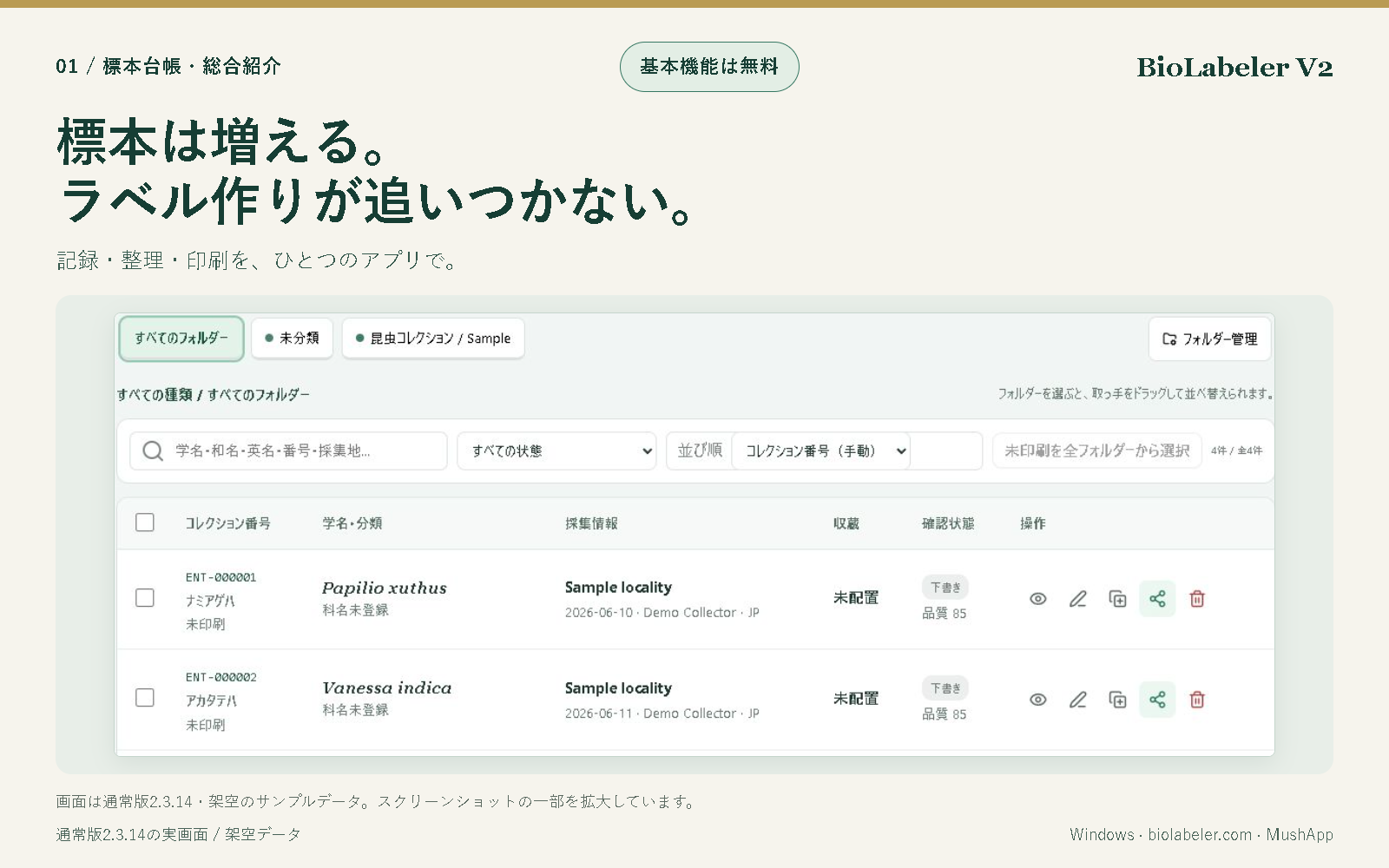
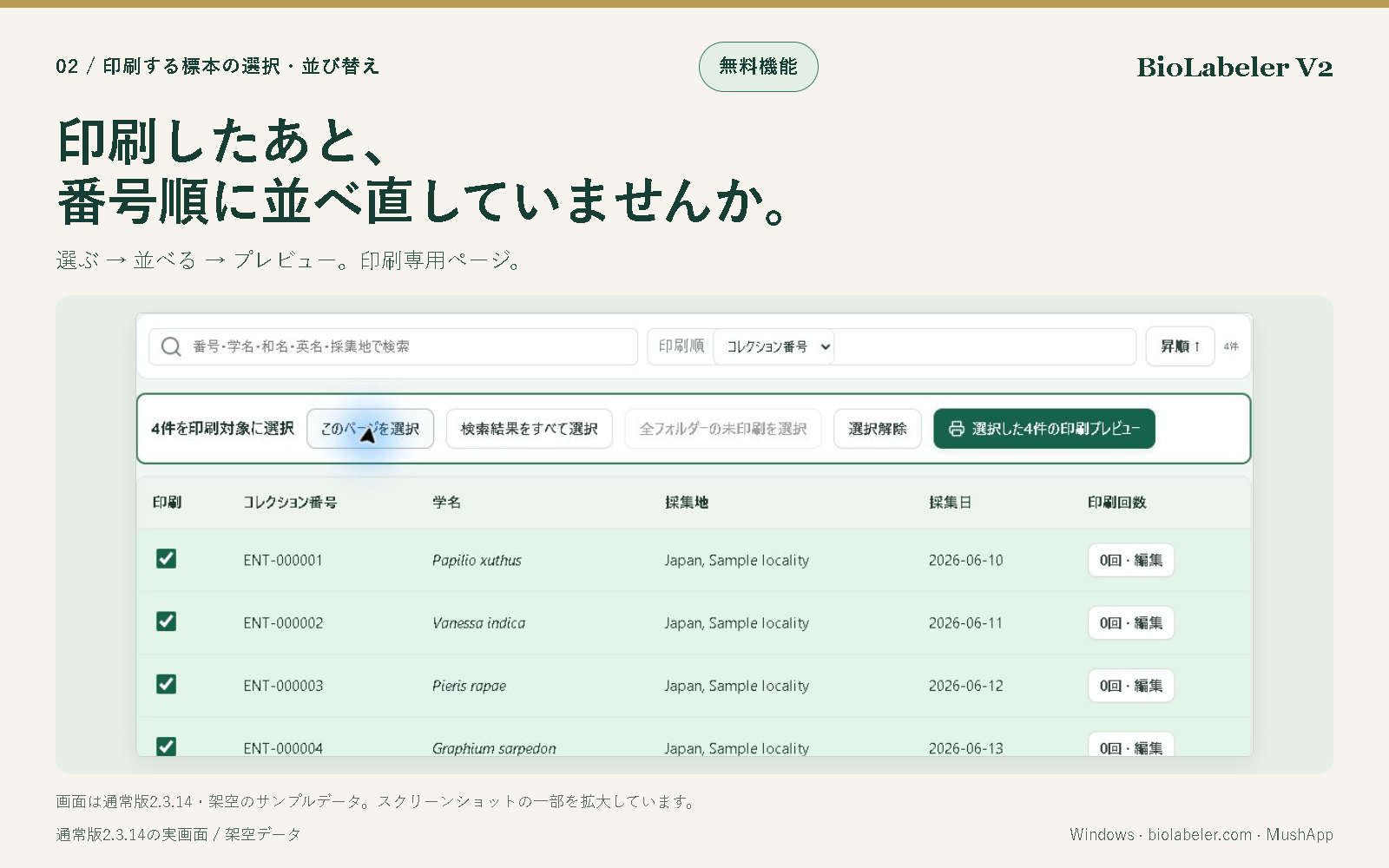
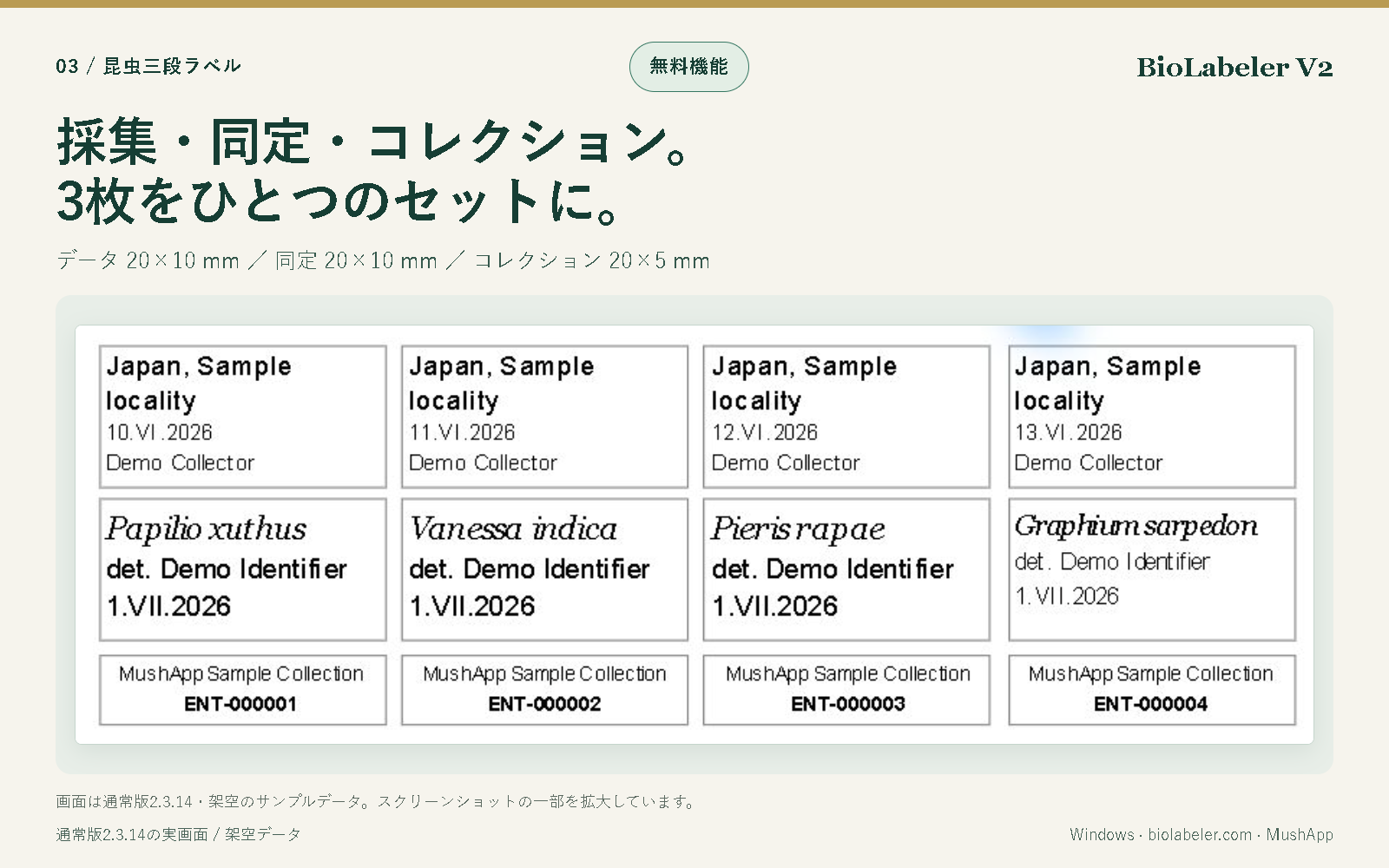
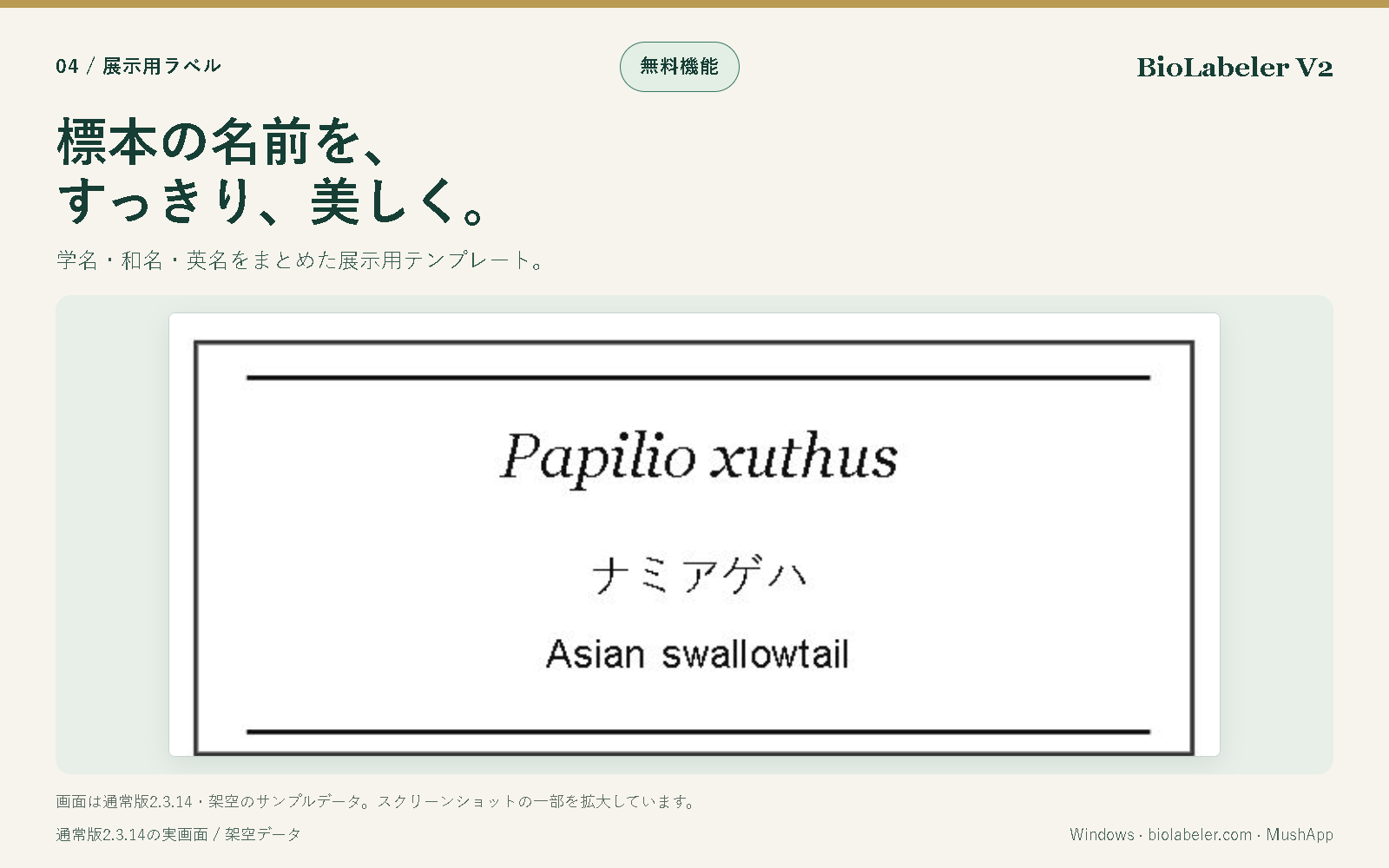
Collection records and folders. Real 2.3.14 screenshot with fictional sample records; click to enlarge.Print selection and sorting. Real 2.3.14 screenshot with fictional sample records; click to enlarge.Three-part insect label previews. Real 2.3.14 screenshot with fictional sample records; click to enlarge.Display labels with scientific and common names. Real 2.3.14 screenshot with fictional sample records; click to enlarge.
Before you print or share
Final results depend on your printer, paper, scale and text length. Text fitting may make dense labels very small. Test actual-size prints and scan codes before use. Anyone receiving a shareable QR may access its contents; avoid confidential locality or personal data.
Choose a size, add fields, then arrange them with a live preview. The guided editor keeps placed fields visible, offers one-click font, alignment, visibility and removal controls, and fits the editing canvas to your screen. Existing records and print dimensions stay unchanged.
Browser-local records, no account, no ads. QR/barcode generation and paid tools remain Windows-only. This is a Web beta update, not a claim that Windows 2.3.22 is already published in Microsoft Store. Previous lightweight Web app